Not all SAP integration patterns are created equal, and not all of them belong in every landscape. Point-to-point integration that works perfectly in a five-system environment becomes unmanageable at fifteen. IDoc-based messaging that has served on-premise SAP deployments for decades is no longer supported in SAP Cloud ERP. An event-driven architecture that handles logistics notifications elegantly is the wrong choice when the business process requires real-time confirmation. Before any pattern decision can be made well, the options need to be understood clearly: what each pattern is, what it is designed for, and where it breaks down. This post covers the full range of SAP integration patterns in use today. It first discusses the foundational platform context and then describes each major pattern type. If you are earlier in the process and still working through what integration patterns are and why they matter, start with the first post in this series. If you are ready to move from understanding the options to making the decision, the upcoming third post will cover the selection framework directly. SAP BTP is SAP's platform as a service environment and the common foundation for AI, integration, data, analytics, and application development. It is the architectural layer beneath all modern SAP integration tooling. Decisions about integration in the SAP ecosystem today are, in large part, decisions about how to deploy and configure capabilities within SAP BTP. SAP BTP also enables SAP customers to extend their systems to third-party systems beyond the native SAP portfolio. SAP Integration Suite is SAP's primary integration platform, designed to enable businesses to integrate SAP applications and any disparate system or application. Its capabilities span several distinct functions, each designed for a particular integration need. Cloud Integration is the central component. It is a cloud-based middleware platform that connects applications across hybrid landscapes, regardless of technology stack, security standards, or interface specifications. It supports standard protocols including HTTP, HTTPS, FTP variants, EDI, XML, and JSON. For several years, SAP has concentrated its functional development on Cloud Integration; other middleware platforms are no longer the focus of active development. API Management provides a central layer to govern, manage, and meter APIs. It offers a code-free, web-based framework for designing new APIs, managing existing ones, enforcing security and access policies, organizing APIs into product catalogs, and exposing them through a developer portal. It also supports associating rate plans with APIs for monetization. Importantly, it is possible to use application interfaces without API Management, but as soon as comprehensive security policies, traffic monitoring, error handling, or monetization are required, API Management becomes the appropriate layer. Open connectors addresses third-party SaaS connectivity by providing pre-built connectors via a unified REST API layer with normalized authentication, error handling, and connectivity. This lets developers focus on building business integrations rather than learning the idiosyncratic APIs of each cloud application they need to connect. Integration Advisor accelerates the development of B2B and EDI mappings. It applies machine learning to previously created mappings so that new mappings can be generated or partially generated automatically. It includes out-of-the-box content for SAP S/4HANA and common EDI industry standards, and its output can be exported for use in Cloud Integration or SAP Process Orchestration. Event Mesh handles event-driven communication. In this model, applications publish small messages to an event broker whenever a specific event occurs, and other applications subscribe to the events relevant to them. This decouples producers and consumers and enables asynchronous, loosely coupled architectures. Trading Partner Management, Integration Assessment, and Data Space Integration round out the suite, covering B2B data exchange, integration governance, and data sharing between SAP and non-SAP applications respectively. SAP Business Accelerator Hub (formerly SAP API Business Hub) is the central catalog for SAP's APIs, integration content, events, and CDS views. It publishes end-to-end process blueprints (lead to cash, source to pay, hire to retire, travel to reimburse) that organizations can use to understand the full integration footprint of a given SAP process and plan their integration roadmaps accordingly. Point-to-point integration is the simplest possible approach to connecting two systems: a direct link between a sender and a receiver, with no intermediary layer. There is no middleware, no message broker, no central routing logic. One system calls another, data moves between them, and the integration is complete. For organizations taking their first steps in system connectivity, or in landscapes where only a small number of systems need to communicate, this simplicity is useful. Setup costs are low, the implementation is easy to understand, and there are few moving parts to troubleshoot when something goes wrong. The problem is not with point-to-point integration in isolation. It is with what happens to it over time. Every time a new system is added to a point-to-point landscape, it does not add a single connection. It potentially adds a connection to every system already present. The number of possible connections grows at a rate of n(n-1), where n is the number of systems. A landscape with five systems has a maximum of twenty connections to manage. At ten systems that number is ninety. At fifteen it is two hundred and ten. Each of those connections is a custom, bilateral dependency with its own error handling, monitoring, data format assumptions, and documentation (or more commonly, its own lack of documentation). The landscape that seemed simple and direct at the start becomes a tightly wound interdependency that nobody fully understands and that nobody wants to modify for fear of what might break. The right moment to move away from point-to-point is before this complexity accumulates, not after. In practical terms, if a landscape already has more than a handful of systems exchanging data, or if growth is anticipated, point-to-point should be treated as a temporary measure rather than a foundation. The transition to a middleware-based or hub-and-spoke architecture is significantly easier to execute when it is planned deliberately than when it is forced by a landscape that has become unmanageable. If point-to-point is chosen for a specific scenario, the decision should be documented, including the conditions under which it will be revisited, so that the exit path exists before it is needed. For most of SAP's history, IDocs (Intermediate Documents) were the de facto standard for system-to-system messaging. An IDoc is SAP's proprietary document format for exchanging business data between SAP systems or between SAP and external partners. SOAP (Simple Object Access Protocol), which uses XML-based messaging standards, has also been a long-standing integration interface in the SAP ecosystem, particularly for web service-based communication. Both remain relevant in specific deployment contexts. SAP S/4HANA on-premise and SAP S/4HANA Cloud Private Edition continue to support IDocs fully. SAP ECC 6 and its predecessors also retain IDoc support. In these environments, IDoc-based integration is a proven, well-understood approach with deep tooling support in SAP Process Orchestration and, to a degree, in SAP Integration Suite's Cloud Integration capability. However, the landscape has shifted materially. IDocs are no longer supported in SAP Cloud ERP (the Public Cloud edition of SAP S/4HANA, beginning with version 2508). This is not a minor deprecation but the removal of SAP's de facto messaging standard from its flagship cloud ERP. The direction of travel is clear: eventually, all SAP S/4HANA deployment models are expected to move to API-based integration, and IDocs will no longer be a viable approach across the full SAP landscape. SOAP remains viable where XML-based standards are required, particularly in B2B and EDI-adjacent scenarios. In SAP S/4HANA Cloud environments, some ODP-based extraction APIs are exposed via SOAP services that wrap the underlying RFC, which is one example of SOAP's continued presence in specific architectural roles. The practical takeaway: if your target system is SAP Cloud ERP or is likely to migrate there, do not design new integrations around IDocs. If you are working in an on-premise or Private Cloud landscape with no near-term cloud migration, IDoc-based integration remains a reasonable choice—particularly for high-volume, batch-oriented, transactional messaging between SAP systems. API-based integration is SAP's strategic direction, and the scope of what's available has expanded rapidly. SAP S/4HANA now exposes over 800 APIs, with the catalog continuing to grow. These APIs are published and browsable through SAP Business Accelerator Hub, which also provides pre-built integration content and end-to-end process blueprints that organizations can use as starting points. Two API standards dominate the SAP integration landscape: SAP Integration Suite's API Management capability is the governance layer for both. Deploying APIs without it means operating without rate limiting, security policy enforcement, traffic monitoring, or a developer portal. These are risks that become significant at enterprise scale. API-based integration is the right pattern for cloud-to-cloud scenarios, real-time request/reply interactions, developer-facing integrations, mobile and UI backends, and any new integration targeting SAP Cloud ERP where IDoc support is no longer available. RFC (Remote Function Call) is SAP's implementation of remote procedure calls; it’s a mechanism that allows one system to call a function module running on another system as if it were local. Despite not being SAP's strategic direction for new integration development, RFC remains present across many existing SAP landscapes, particularly in on-premise environments where SAP ECC or older SAP S/4HANA installations are still running. RFC is tightly coupled to the ABAP stack, which means it does not translate naturally to cloud-to-cloud or SAP-to-third-party scenarios where the receiving system has no ABAP runtime. SAP has progressively moved away from exposing RFC as a direct external integration interface, favoring OData and REST instead. RFC still appears indirectly in modern integration infrastructure. The ODP framework uses RFC internally, for example, but exposes it to external consumers via SOAP or OData rather than directly. For new integration development, RFC should be treated as a legacy mechanism rather than a design choice, reserved for scenarios where it is already embedded in an existing landscape and replacement is not yet practical. Data integration (moving data between systems for analytics, machine learning, or synchronization rather than to trigger business processes) requires its own distinct pattern class and tooling. SAP's strategic approach for data integration in SAP S/4HANA is CDS-based data extraction, which uses CDS views annotated as extraction views to provide a general data extraction model across different integration scenarios. Extraction runs in two modes: full extraction reads all available records, while delta extraction reads changes only after an initial full load, using a trigger-based change data capture framework—with multiple channel options available depending on whether the target is SAP BW, SAP Data Intelligence, or another platform. Two additional frameworks cover specific scenarios. The Data Replication Framework (DRF) handles business object replication within SAP S/4HANA, pushing complete object instances to defined target systems when a registered change event meets the configured filter conditions. SAP Master Data Integration is a cloud service for synchronizing master data across hybrid landscapes, used in processes like sharing supplier data with SAP Ariba and workforce data with SAP SuccessFactors. This pattern class is appropriate when the goal is analytics feeding, data warehouse population, machine learning pipelines, or master data synchronization, and not when the integration needs to trigger a business process on the receiving end. Before discussing when to use event-driven integration, it's worth clarifying a distinction that often gets blurred in practice: event-driven messaging and event-driven integration are related but not the same thing. Event-driven messaging is the mechanism: the technical act of a producer publishing a message to a broker, which makes it available for one or more consumers to receive asynchronously. It describes how communication happens at the transport level. Event-driven integration is the architectural pattern: the broader design approach in which systems are decoupled from one another and interactions are triggered by events rather than direct calls or scheduled processes. Event-driven messaging is the implementation of event-driven integration. The distinction matters because you can adopt event-driven messaging without truly committing to event-driven integration as a pattern. A team might route a message through SAP Event Mesh while still designing the surrounding systems with tight dependencies, synchronous assumptions, or no tolerance for out-of-order delivery. This means they have the tooling but not the architecture. Choosing event-driven integration as a pattern carries broader commitments: producers and consumers operate independently, neither system waits for the other, eventual consistency is acceptable, and the design accounts for failure modes like duplicate events, missed events, and sequencing gaps. Getting the tool without making those commitments tends to produce the worst of both worlds. SAP Event Mesh is SAP's event broker service within SAP BTP, and it is the primary tool for implementing event-driven integration in the SAP ecosystem. It allows events from one application to be dynamically routed and received asynchronously by other applications, decoupling the event source from the consumers entirely. Event sources in the SAP landscape include SAP S/4HANA Cloud, on-premise SAP S/4HANA, SAP ERP, and SAP SuccessFactors, with additional backends being enabled over time. Available events are documented in SAP Business Accelerator Hub. SAP Event Mesh supports three communication patterns: message queues, where each message is processed exactly once by a single consumer; topic-based broadcasting, where messages are sent to all active subscribers but not retained for late consumers; and queue subscriptions, which combine both approaches by routing topic messages into a queue for reliable, buffered delivery. Event-driven integration is the right pattern when loose coupling between systems is a design goal, when the sender should not be blocked waiting for a response, when the same event needs to trigger reactions in multiple independent consumers, or when the scenario involves high-volume event streams such as logistics notifications, IoT signals, or real-time business object changes. It is the wrong pattern when the business process requires strict transactional guarantees, when message ordering is critical and cannot be managed at the consumer level, or when the receiving system must confirm success before the sender can proceed. In those scenarios, a synchronous API-based pattern is the more appropriate choice. The patterns covered earlier are presented individually because each needs to be understood on its own terms. But in practice, production SAP landscapes rarely operate on a single pattern. Most real implementations combine two or more approaches, applied to different parts of the same business process depending on what each part actually requires. A straightforward example: a business running SAP S/4HANA needs to support online order creation from a customer-facing application and also needs to feed order data into a data warehouse for reporting and forecasting. The order creation scenario requires real-time confirmation (the customer needs to know the order was accepted) which points to synchronous, API-based integration using OData or REST. The analytics scenario involves high-volume, scheduled movement of order data into a warehouse without triggering any downstream business process, which points to CDS-based delta extraction. Both are running simultaneously, against the same SAP S/4HANA system, serving the same underlying business object. One pattern does not fit both requirements, and trying to force it to would mean either introducing latency into the customer-facing experience or creating unnecessary overhead in the analytics pipeline. This is not an edge case, but the norm. Most end-to-end SAP processes touch multiple integration scenarios with different triggers, volumes, latency requirements, and target systems. SAP Integration Suite is structured to support this directly. Its modular capability design means that different capabilities can be combined within a single integration platform rather than requiring separate middleware products for each pattern. The platform does not enforce a single integration style; it provides the building blocks for whichever combination the scenario requires. For organizations building composite integrations, SAP Business Accelerator Hub provides pre-packaged integration content for common SAP-to-SAP and SAP-to-third-party scenarios. Rather than designing composite patterns from scratch, teams can start from a reference implementation and adapt it to their specific landscape. This both accelerates delivery and reduces the risk of architectural decisions being made implicitly rather than deliberately. The patterns covered here represent the full range of architectural approaches available in modern SAP landscapes. Each has a legitimate use case, and none of them is universally correct. The mistake is not choosing the wrong pattern by accident; it is failing to evaluate options deliberately before implementation begins. Understanding what each pattern is designed for is necessary but not sufficient. The next step is applying that understanding to a specific scenario, which means working through the deployment model, the trigger, the volume, the latency requirements, and the system ownership question in a structured way. The next post in this series provides exactly that: a five-question decision framework and a pattern comparison table designed to narrow the field before a tool is ever selected. This post was originally published 5/2026.SAP BTP as the Integration Foundation
SAP Integration Suite and Its Capabilities
The Core SAP Integration Patterns
Message-Based Integration (IDocs and SOAP)
API-Based Integration (OData and REST)
Remote Function Calls
Data Replication and Extraction
Event-Driven Integration
Hybrid and Composite Patterns
Conclusion
The Core SAP Integration Patterns: A Complete Overview
 1 month ago
25
1 month ago
25
Related

Technology Isn’t the Risk. The Project Is.
1 day ago
2

Leading with empathy in the AI era 💙
1 day ago
4


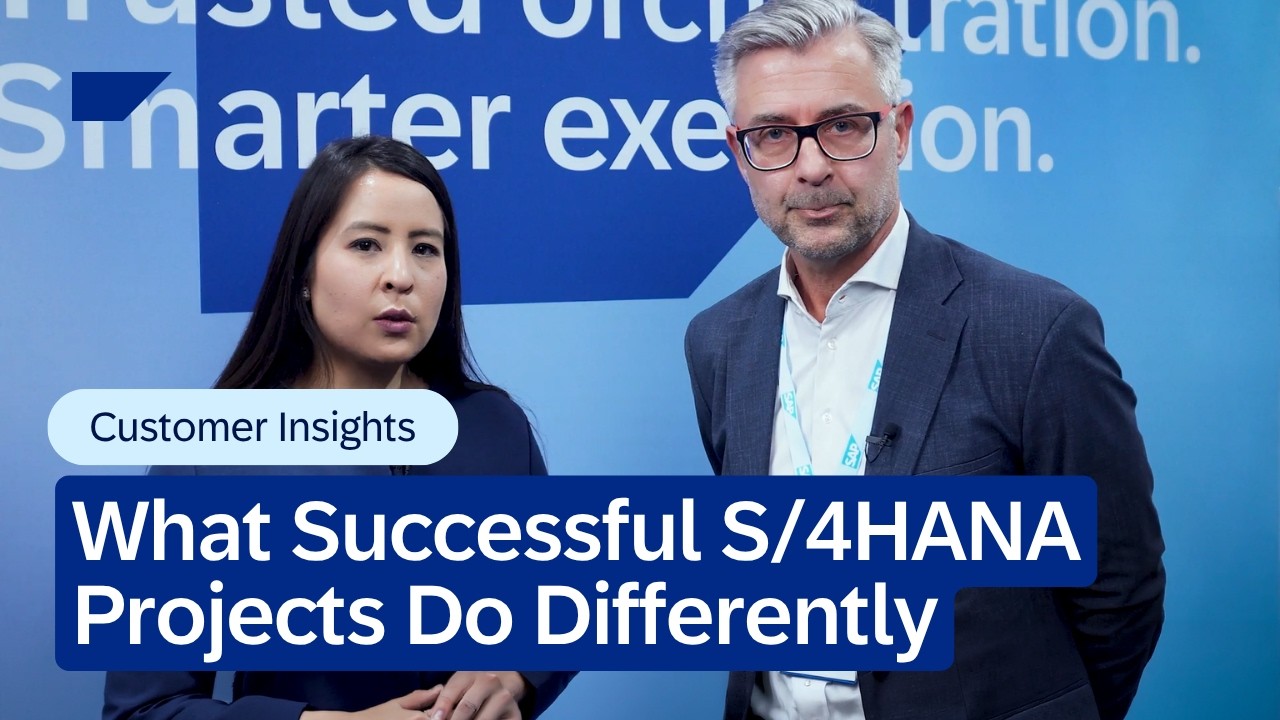

Migration Options for Moving to SAP S/4HANA
1 day ago
5

Popular

![[월드컵] 미 복수 비자 발급받은 이란 토라비…'가시밭길' 대표팀 숨통](https://img5.yna.co.kr/photo/reuters/2026/06/16/PRU20260616240001009_P4.jpg)
[월드컵] 미 복수 비자 발급받은 이란 토라비…'가시밭길' 대표팀 숨통
2 weeks ago
98

기계체조 대표팀, 아시안게임 전초전 아시아선수권대회 출격
2 weeks ago
87

Google IPv6 접속 비율 50% 도달
1 week ago
87

안선영, '시험 1분 지각' 후 주관사 저격했다가 사과…"경솔했다, 전적으로 제 잘못"
3 weeks ago
86
![[G-브리핑] 컴투스, 임직원 참여형 ESG 플로깅 활동](https://pimg.mk.co.kr/news/cms/202606/11/news-p.v1.20260611.0f1bb9233318459cb7ad7f04a40a2d5c_R.jpg)
[G-브리핑] 컴투스, 임직원 참여형 ESG 플로깅 활동
3 weeks ago
83
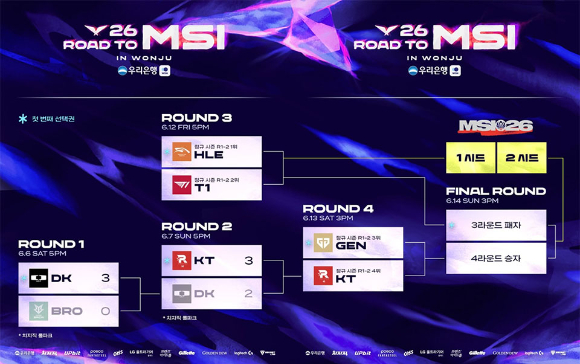
MSI 티켓 위한 마지막 승부…원주에서 LCK 대표 두 팀 가린다
3 weeks ago
83

'하트시그널5' 사생활 의혹 출연자 본방송 등장…제작진 "사실관계 확인 중"
3 weeks ago
78
SpaceX IPO는 세기의 도둑질이 될 것
4 weeks ago
76
Gemma 4 QAT 모델: 모바일과 노트북 효율성을 위한 압축 최적화
4 weeks ago
73
 English (US) ·
 © Clint IT 2026. All rights are reserved
